
Content Fusion Cloud CMS Overview
Our Content Fusion content management server is now available a cloud solution, aimed at companies or individuals who want to securely manage, create, edit, review and publish technical documentation projects using the DITA XML standard without the need to install server-side components on their own servers.
A 30 day trial is offered to freely use the Cloud CMS and see if it is fit for your use and organization. You can now sign up, create your organization and work with sample or pilot projects to see how it can be used in your company.
As a software engineer whose development has been mostly focused on the Oxygen XML desktop products, I've been skeptical, in general, of using web editing tools. But now, as I'm sipping my hot chocolate and using Content Fusion Cloud connected to the Oxygen XML Blog Git repository to write this very blog post, I see that things are running smooth indeed.
There is also a past webinar recording by Cristian Talau, the Content Fusion project manager, with an overview of the entire system.
Below, I will list some of the Content Fusion Cloud main characteristics and then I will try to expand on each of them. My last section in this article will be about what's missing and how it can be compensated.
- Create and manage an organization. Your organization will let you invite and manage members, control the subscription, authentication, and security details. More details...
- Assign roles in the organization. There are two types of roles: writers and subject matter experts.
- Create projects in your organization. Your projects can be either internal to Content Fusion or synchronized in real time with a private or public project on an existing public Git server like GitHub or GitLab. In the latter case, Content Fusion acts as a regular Git client, keeping the source of truth in your Git repository and accessible to any tool or workflow you currently use. More details....
- Work on projects with full support for editing the publication table of contents, project-wide search, and validation. For DITA XML files, you will benefit from the rich possibilities offered for content reuse, filtering, and customization offered by the standard. Full history support and mechanisms to merge changes and manage potential conflicts are included. Details...
- Create, manage and integrate feature, release, or review branches. Details...
- Create review tasks and assign them to Subject Matter Experts. Review tasks can be edited sequentially or simultaneously by multiple SMEs. Details...
- Use the AI Positron side view (available as a separate service called Oxygen AI Positron at https://aipositron.oxygenxml.com/) to make changes in your project, review content using the numerous included AI actions, or vibe write. Details...
- Define deliverables, create publishing templates, and publish them to WebHelp or PDF formats. Limited output hosting is also included to test and see how your deliverables look like on the web. Details....
- Integrate with the Oxygen XML desktop applications via the Content Fusion add-on, allowing Oxygen XML desktop users to edit or create review tasks in the Content Fusion platform. Details...
- For Content Fusion projects that are synchronized with an external Git repository, you can access the project content using any type of Git tools. Details....
And now let's expand on these features that Content Fusion Cloud offers.
Create and Manage Organizations
Your first contact with the Content Fusion Cloud web site will probably be to create your own organization. You have a 30 day trial so if you've been curious about working with DITA XML content or with a DITA XML CMS, you can jump right in, create an organization, create a project, and give it a try.
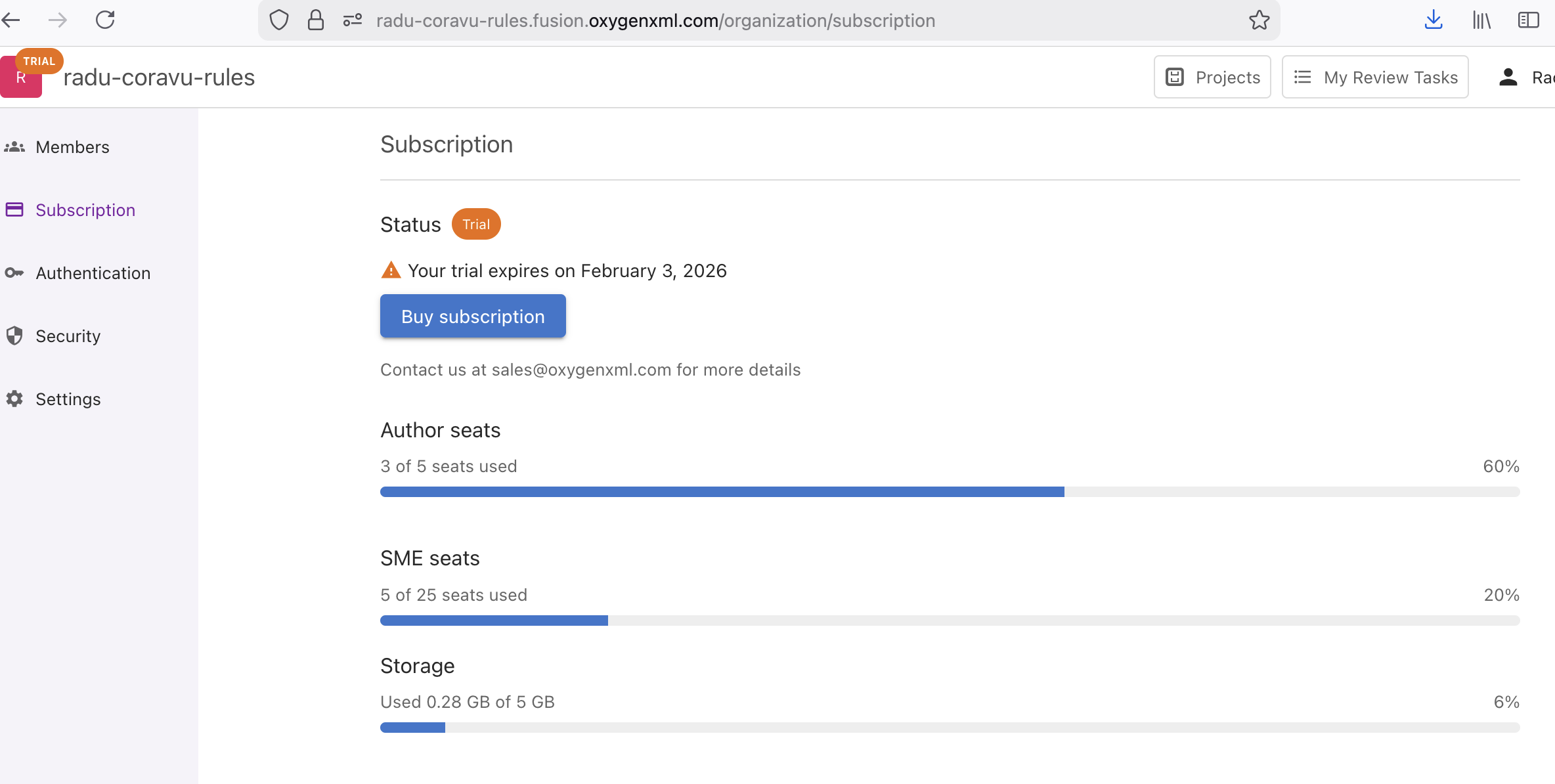
Depending on your Subscription model, you will get a maximum number of authors and subject matter experts that you can invite to join you in working on the projects. You will also get a maximum storage capacity.
For example, for the trial subscription, I can invite 5 writers and 25 SMEs to join my organization and I have a maximum of 5 GB of storage space to squander.
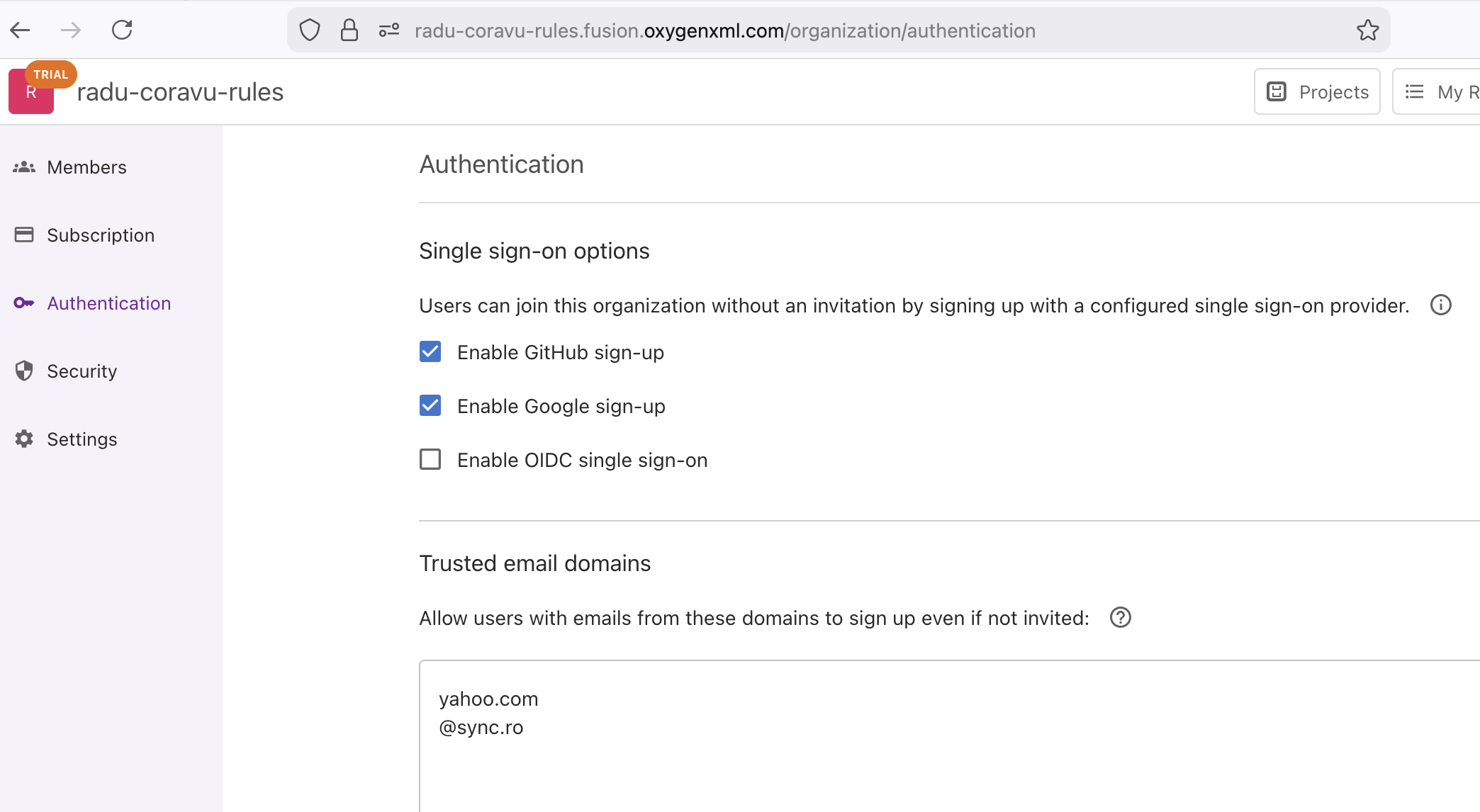
I use my GitHub account to login to Content Fusion Cloud, but you can also use your Google or Single Sign On. The Authentication tab allows the organization admin to control various authentication-related settings.
In general, I found my organization's administration pages quite easy to figure out, I can invite members, assign roles, change various settings, and the UI is well designed and intuitive.
Create Projects
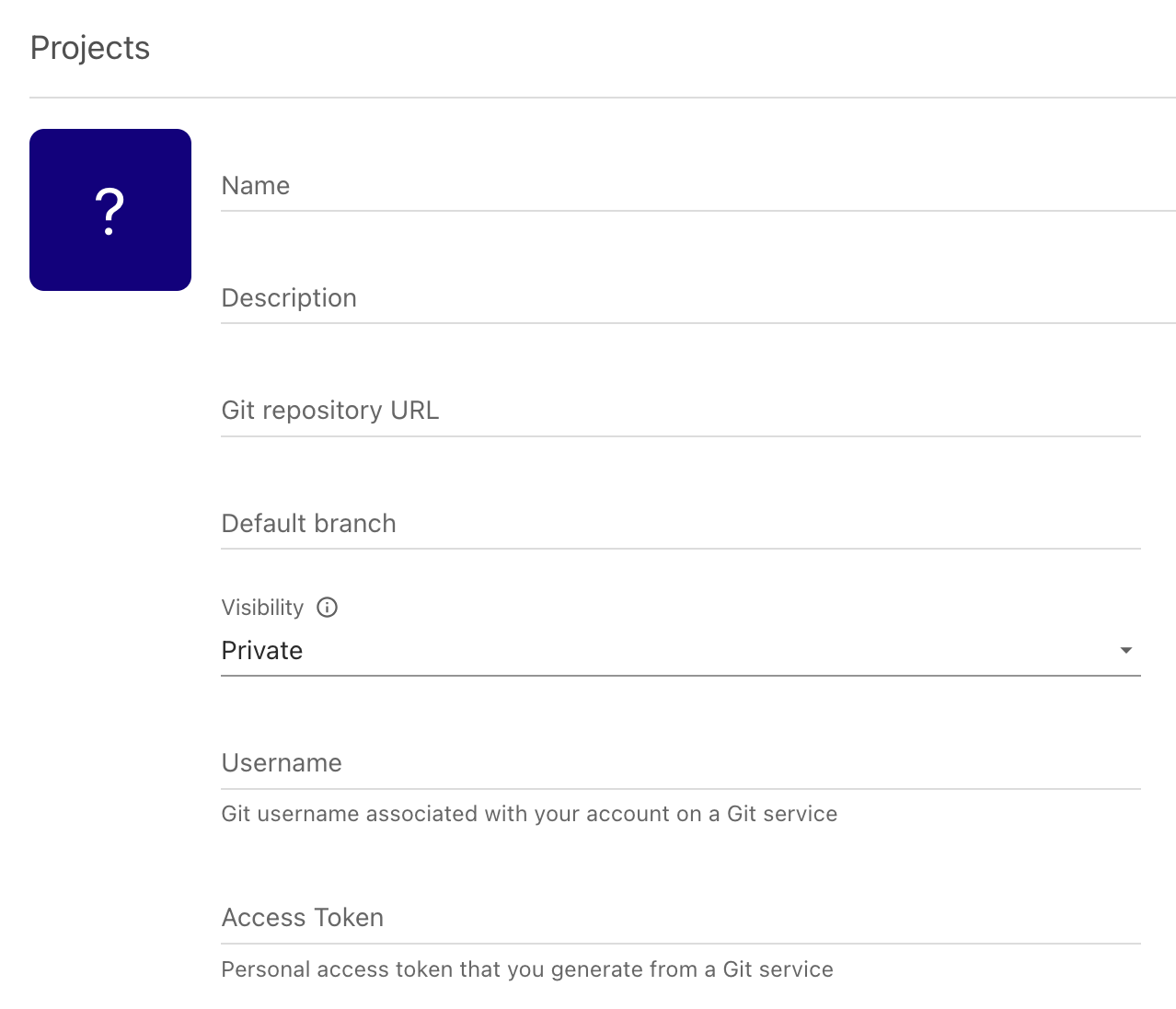
You can create a new project starting from a new sample project template:
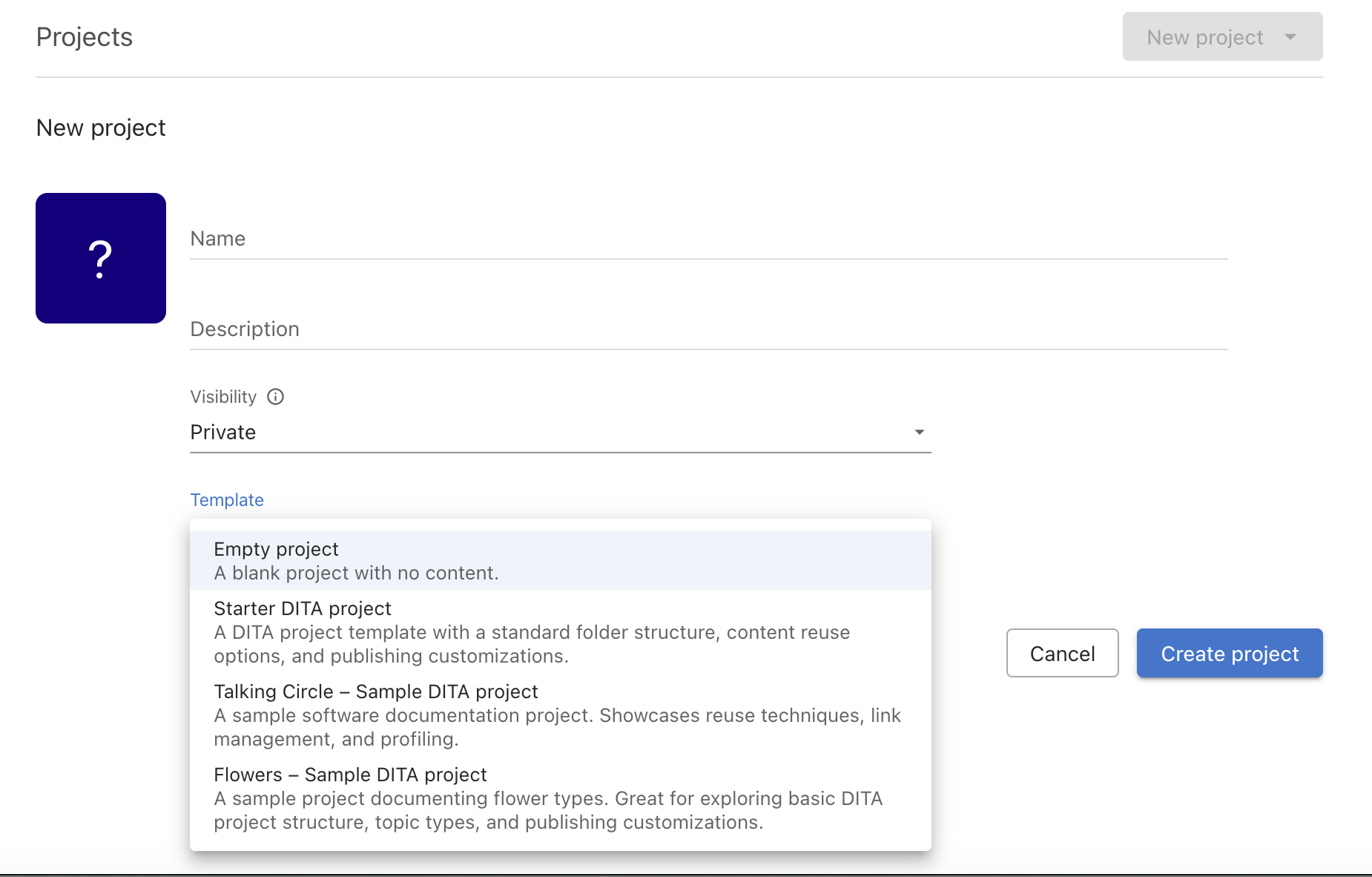
But in my opinion, the best feature is the ability to create a project based on an existing private or public Git project. This will synchronize (in real time) the changes made in Content Fusion Cloud (including creating branches) with your Git project, allowing you to use your content from any other third-party tools, including editing tools and publishing servers that have Git support.
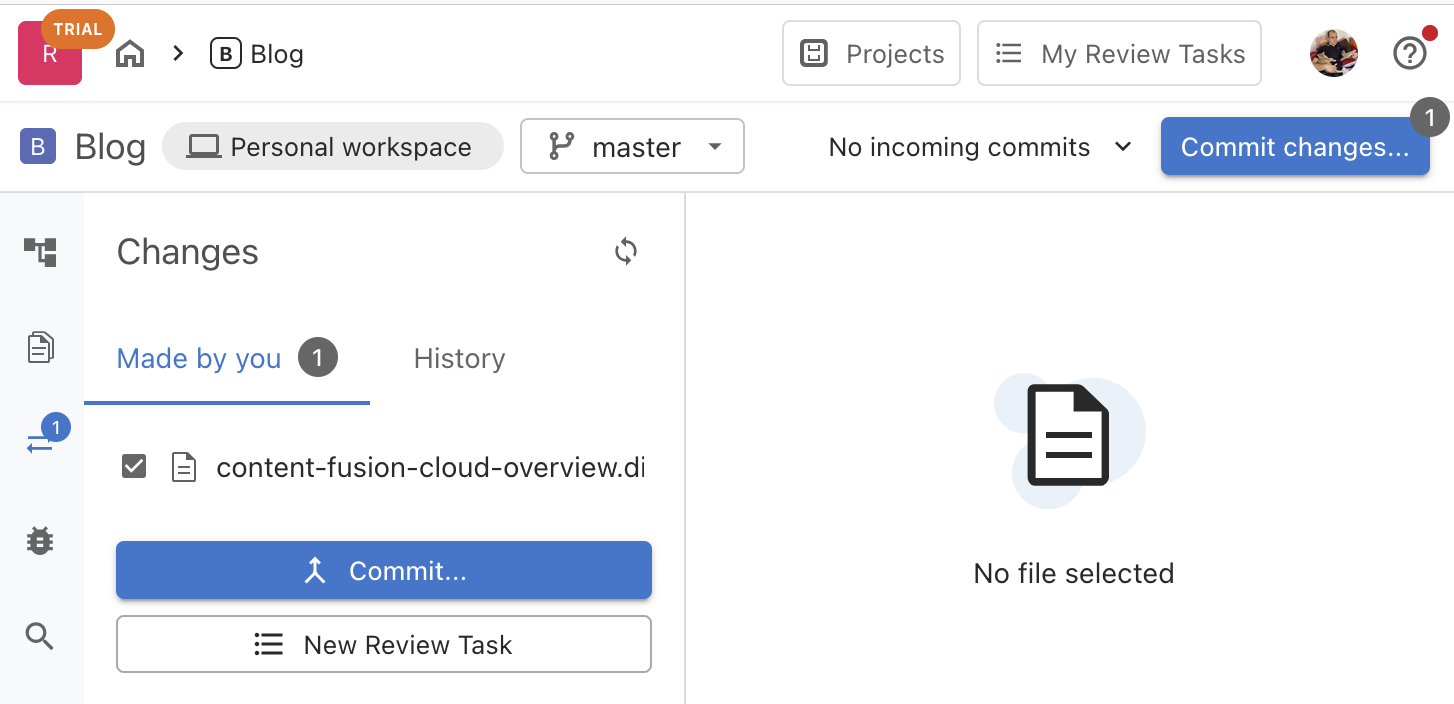
Editing Workflow
Retrieve incoming changes from the repository, create new files, or modify existing content, then commit.
Use the Publications view to create or edit the main DITA map (or maps) for your project. Referenced sub-maps are also present and editable in the context of the main DITA map. The contextual menu allows you to make changes to the DITA map or to create and add new DITA topics in various places.
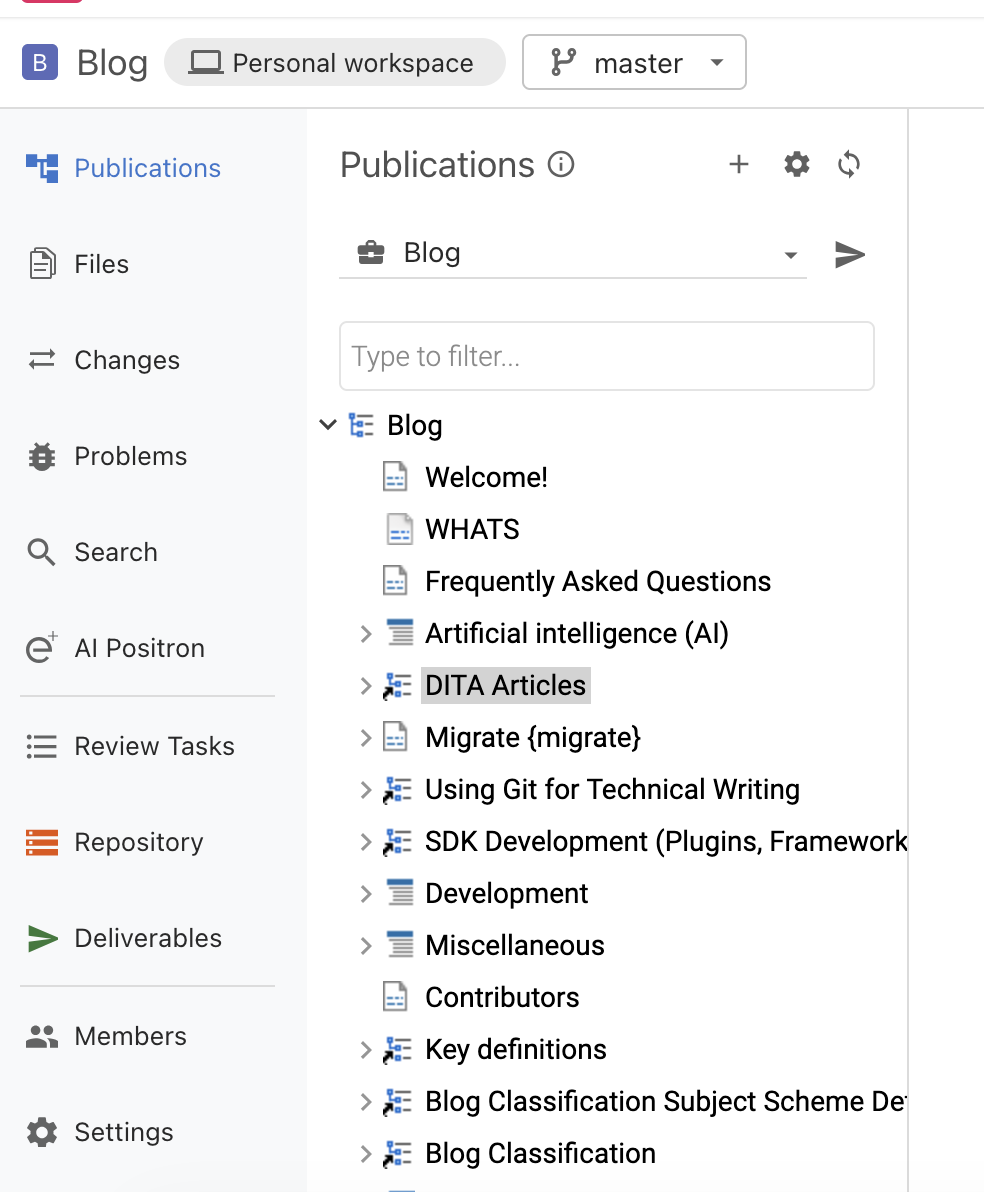
The Files and Search views allow you to locate the topics you want to edit either by file name or by keywords.
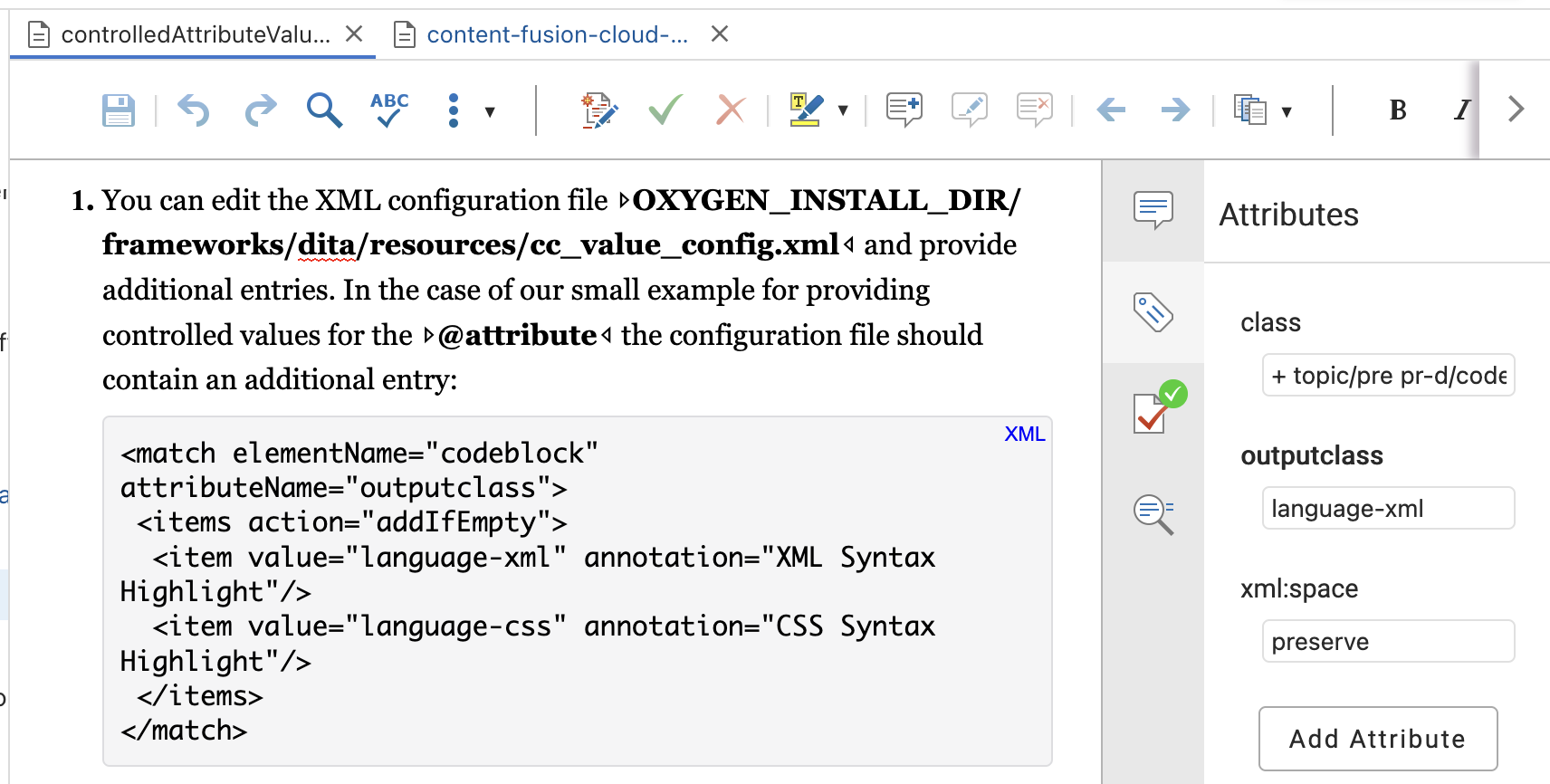
In the main editor area, you have full DITA XML editing support, support to insert new paragraphs and DITA structure elements, find/replace, edit content, change attributes, apply profiling conditions, insert images, tables, list items, links, and much more. You can even enable change tracking and add color highlights. It's intuitive and easy to use.
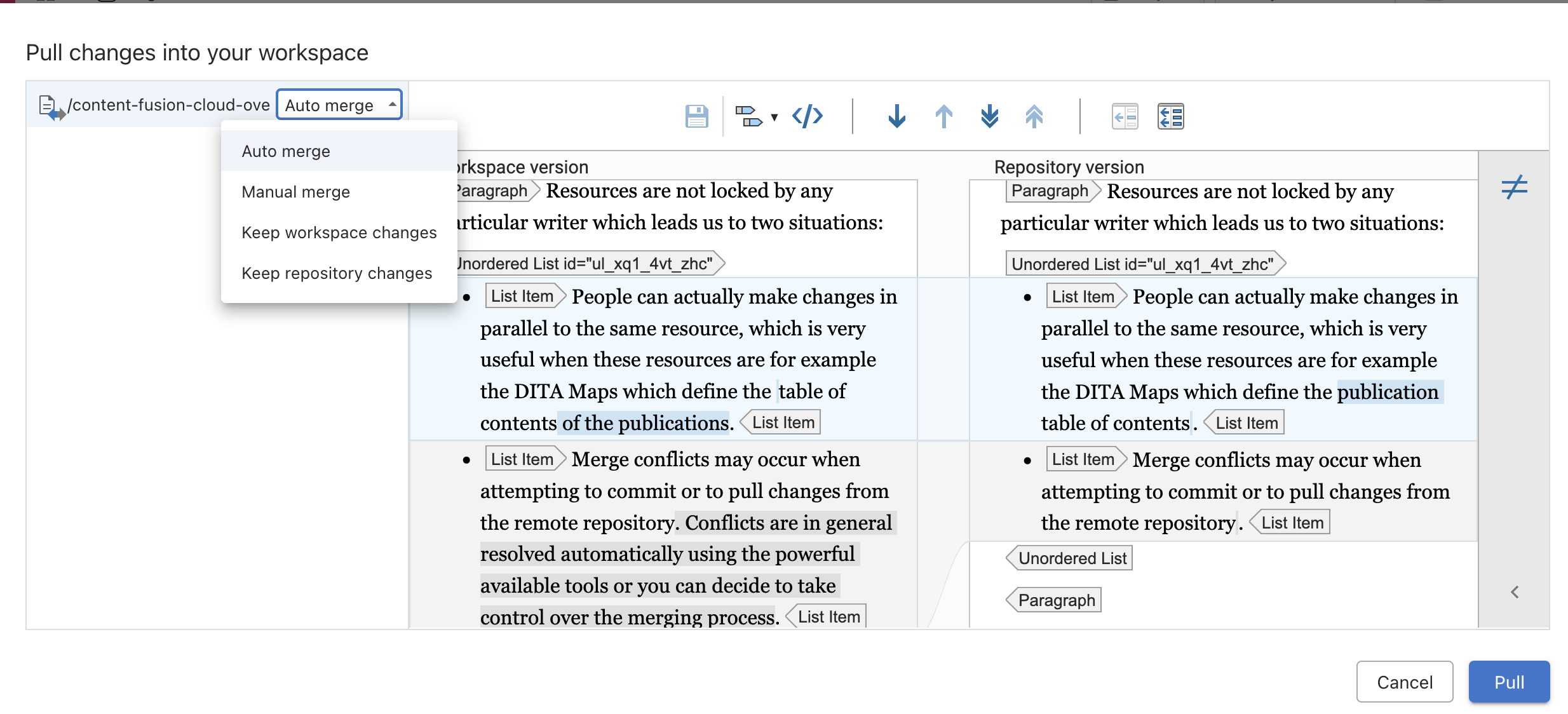
- People can actually make changes in parallel to the same resource, which is very useful when these resources are, for example, the DITA maps that define the publication's table of contents.
-
Merge conflicts may occur when attempting to commit or to pull changes from the remote repository. Conflicts are in general resolved automatically using the powerful available tools or you can decide to take control over the merging process. This is a CMS that embraces the possibility multiple people may have interest in making changes to the same resources and provides the powerful tools to resolve such cases.
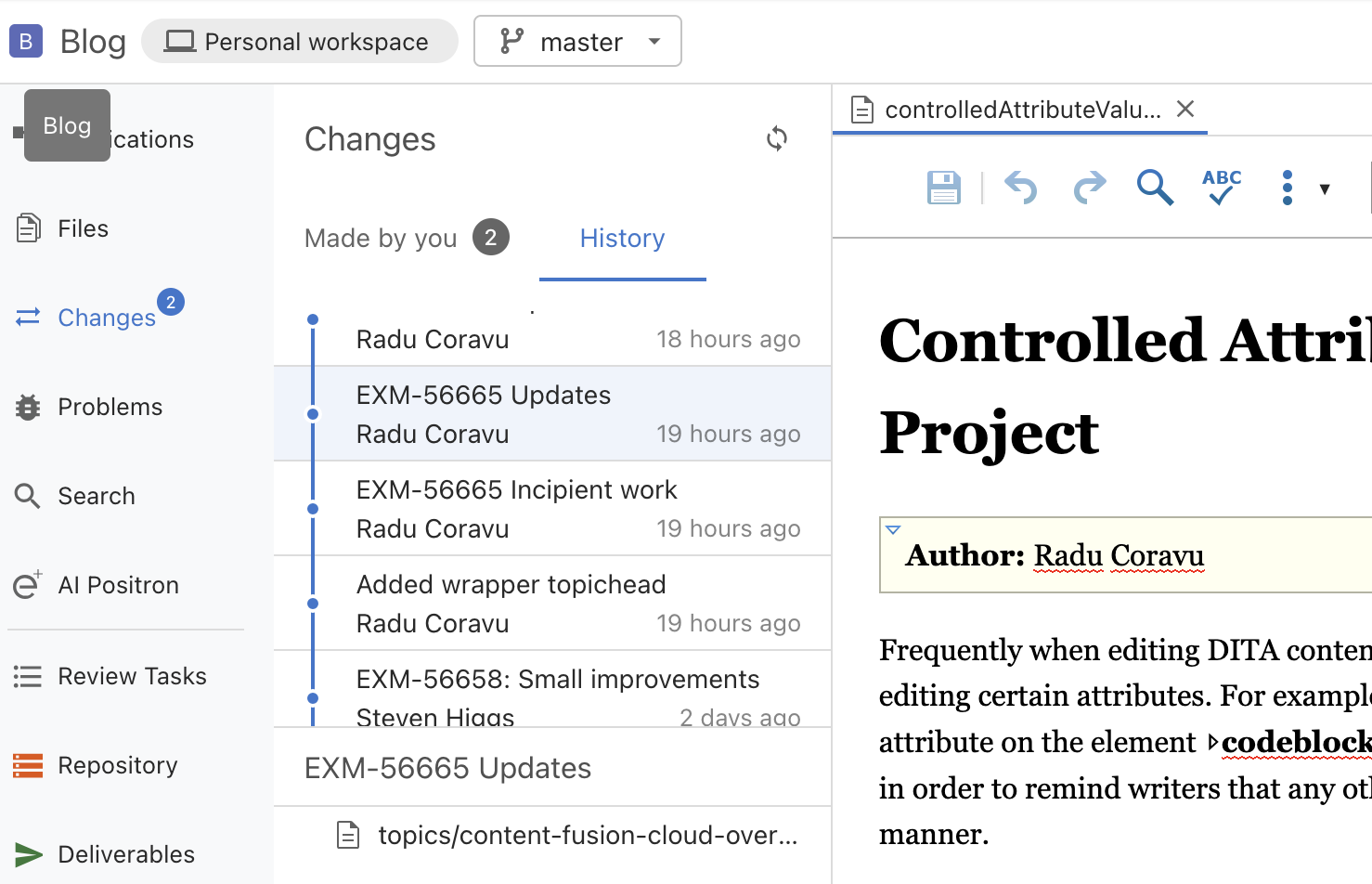
You can set a commit message when you commit content and all changes made to the project appear in the History view.
Find and Insert References to Keys, Reusable Components and Media Resources
- Content
- Find topics containing the search keywords. For each found match you can open the target topic or add links to it in the current document (either cross references or related links).
- Keys
-
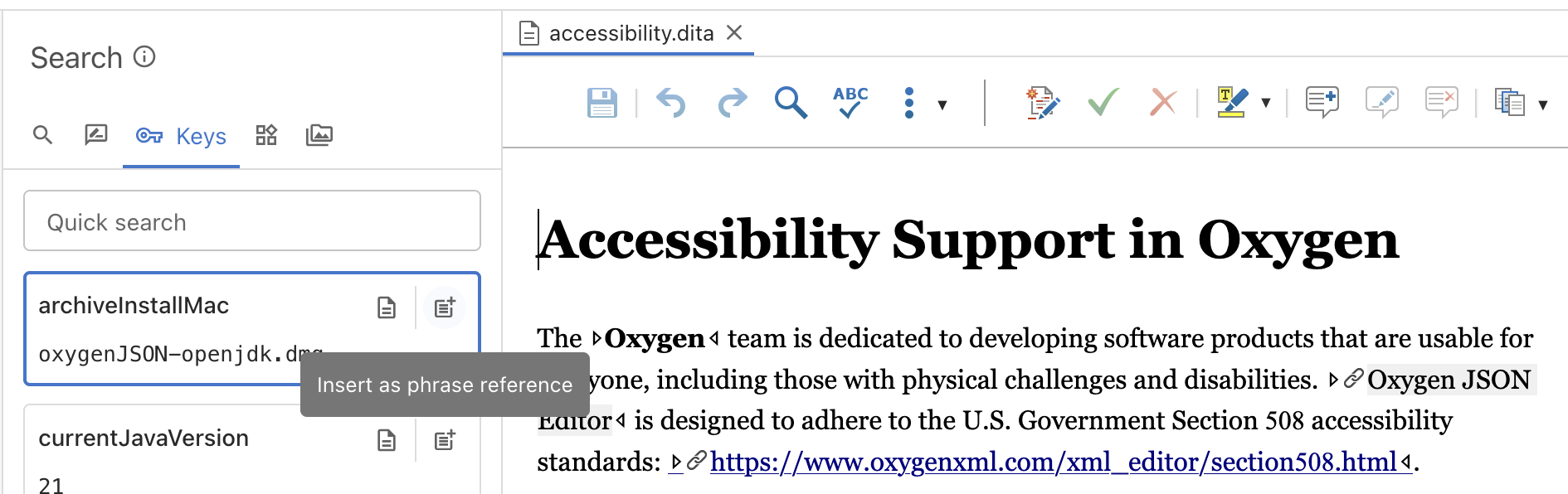
Presents all keys gathered from the current selected publication. You can insert key references, image key references, links, references to media resources or open the places where the keys are defined.
- Components
-
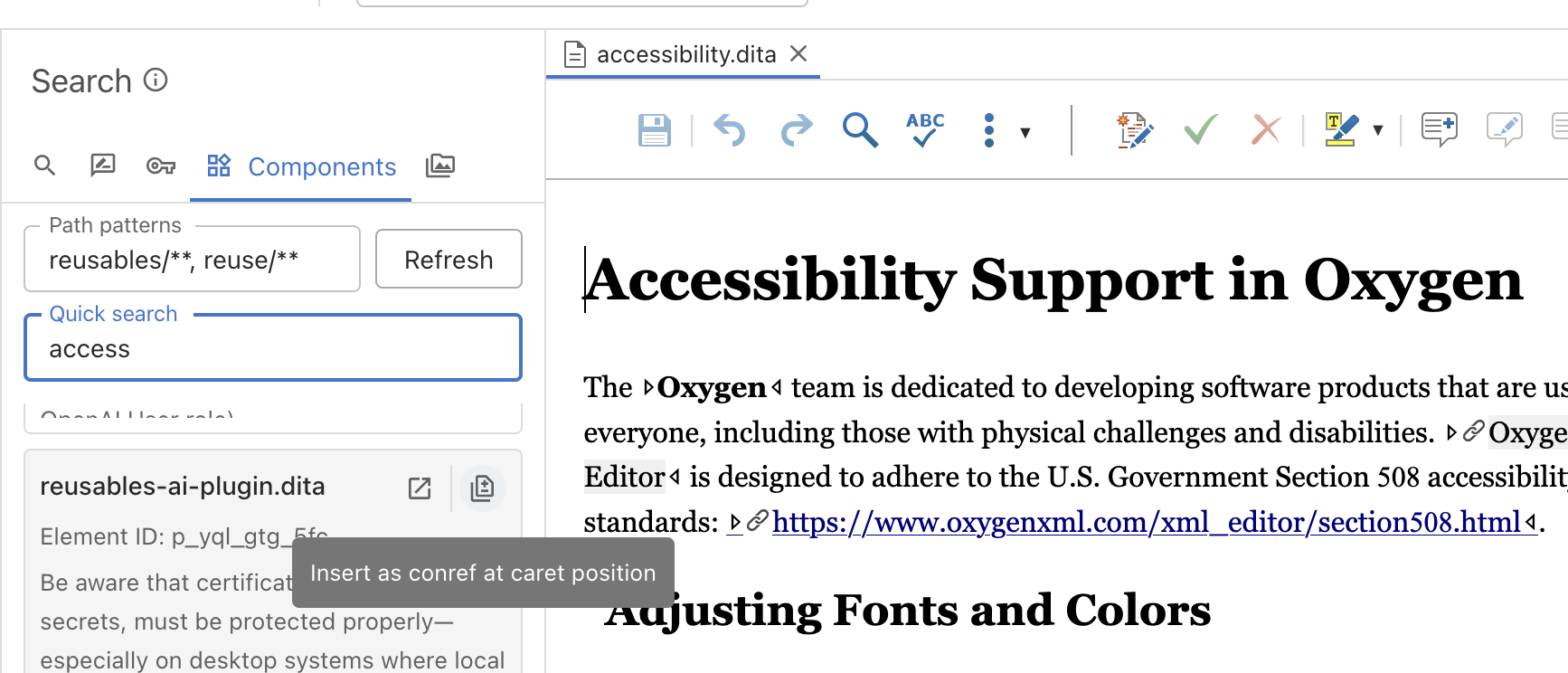
Define all folders where you keep topics with reusable components, browse the components and insert content references to them in the current opened file.
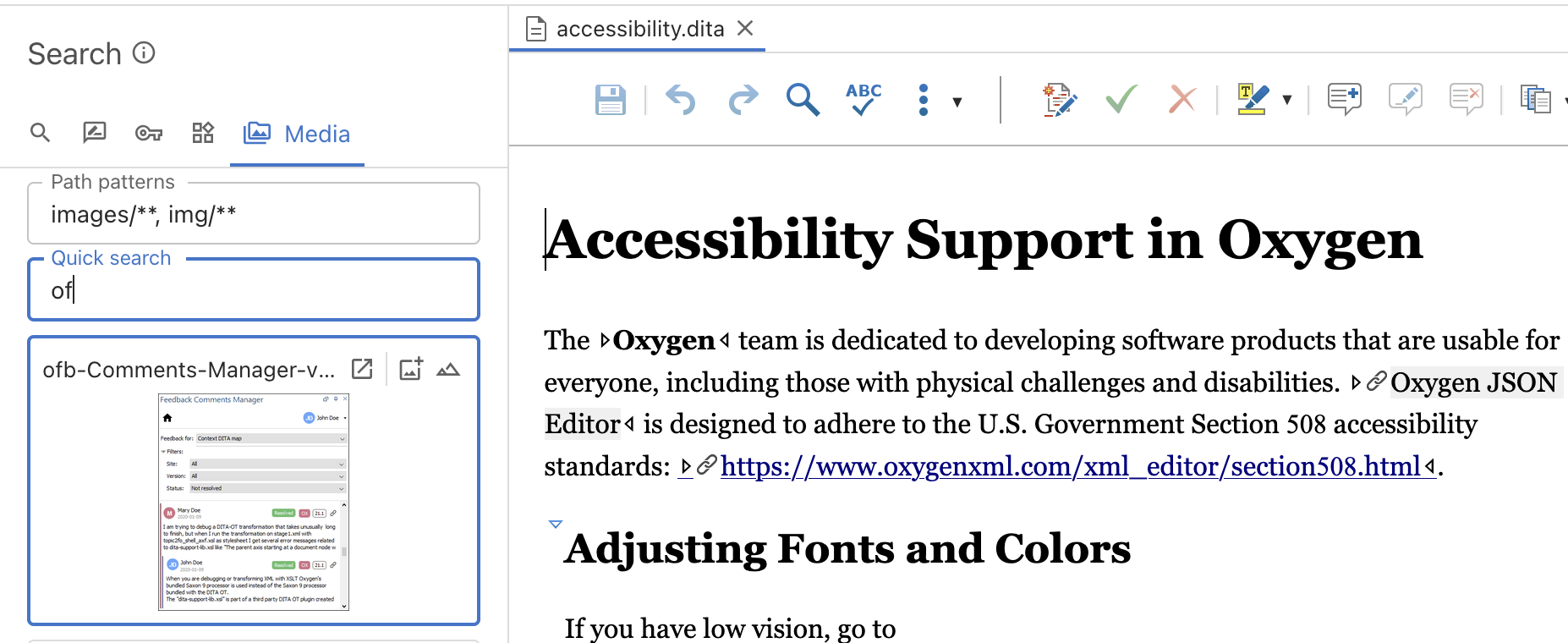
- Media
-
Define all folders where media resources (images, video, audio resources) are placed. Browse through them and insert image or media references in the opened topic.
Branches
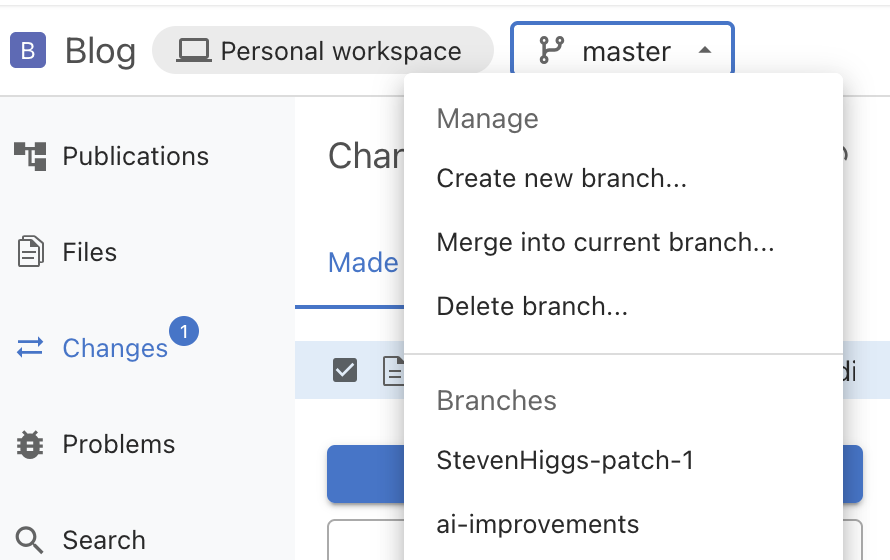
Create feature or hotfix branches. Work on them on your own or with other colleagues. Merge feature or hotfix branches in the current project branch.
Create release branches and for each project version release, you can make additional small fixes and re-publish the documentation for a specific product version.
Review Tasks
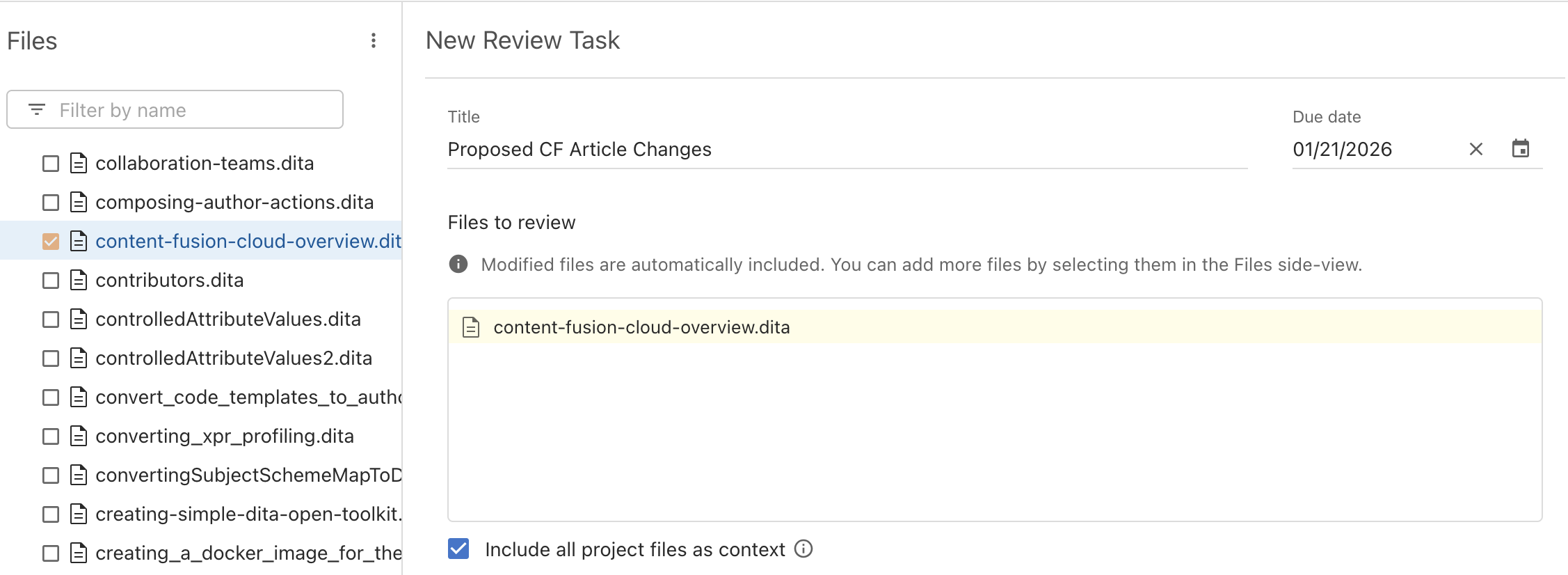
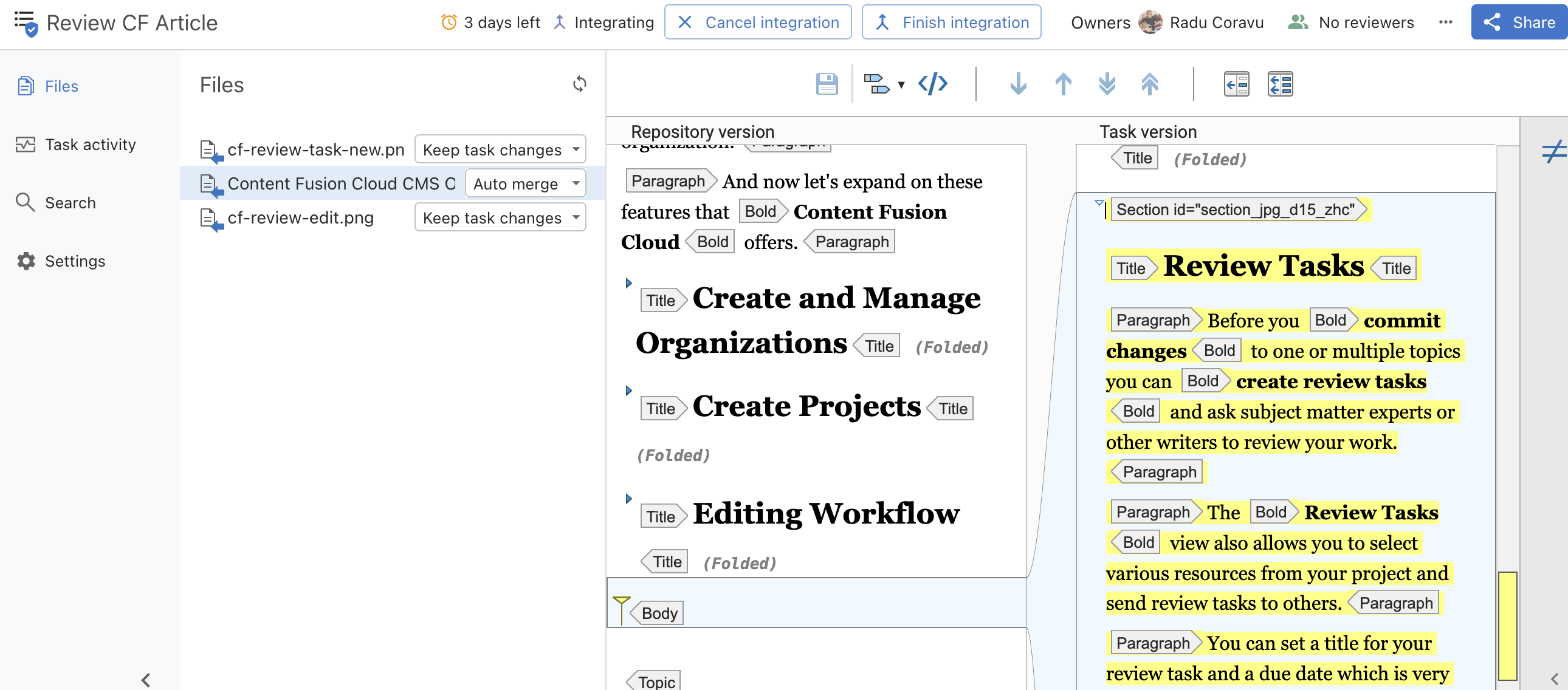
Before you commit changes to one or multiple topics you can create review tasks and ask subject matter experts or other writers to review your work.
The Review Tasks view also allows you to select various resources from your project and send review tasks to others.
You can set a title for your review task and a due date, which is very useful to send automatic notifications to people who neglect your call for help.
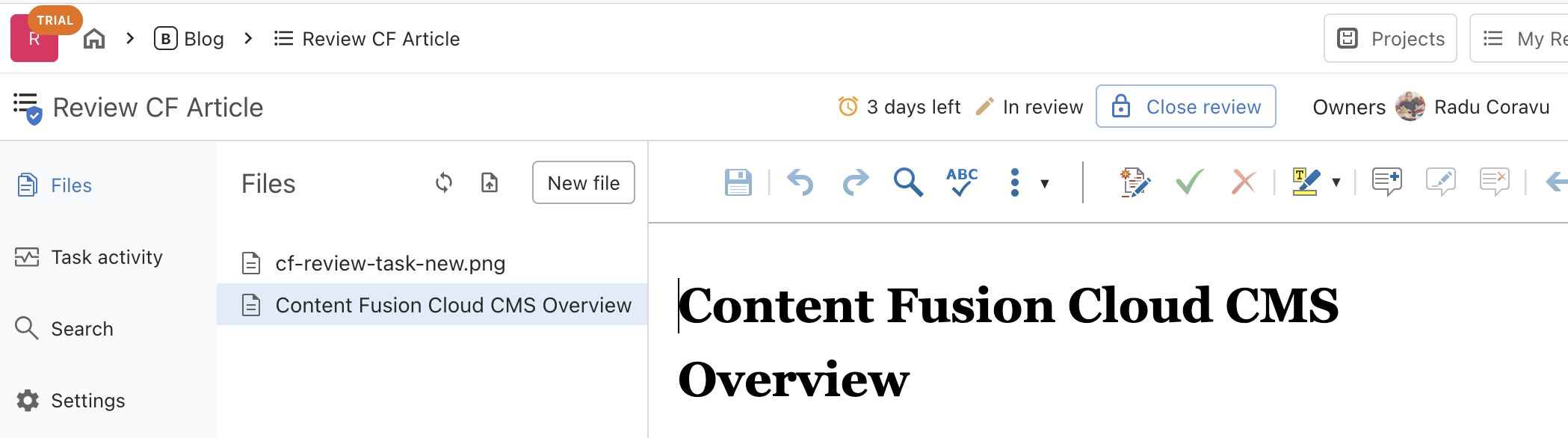
Reviewers are provided with a review link and use the same Content Fusion Cloud platform with a simpler UI to propose changes (either by modifying or adding comments) to the resources that are to be reviewed.
Once the subject matter expert closes the review process, the writer has specific tools to review and accept the proposals.
AI Assistant
The AI Positron view is included, by default, in any organization. People can create separate subscriptions to the AI Positron service and then use the AI assistant to make changes to the project. You can choose one of the predefined AI actions or create your own AI actions and provide a project context prompt to AI Positron.
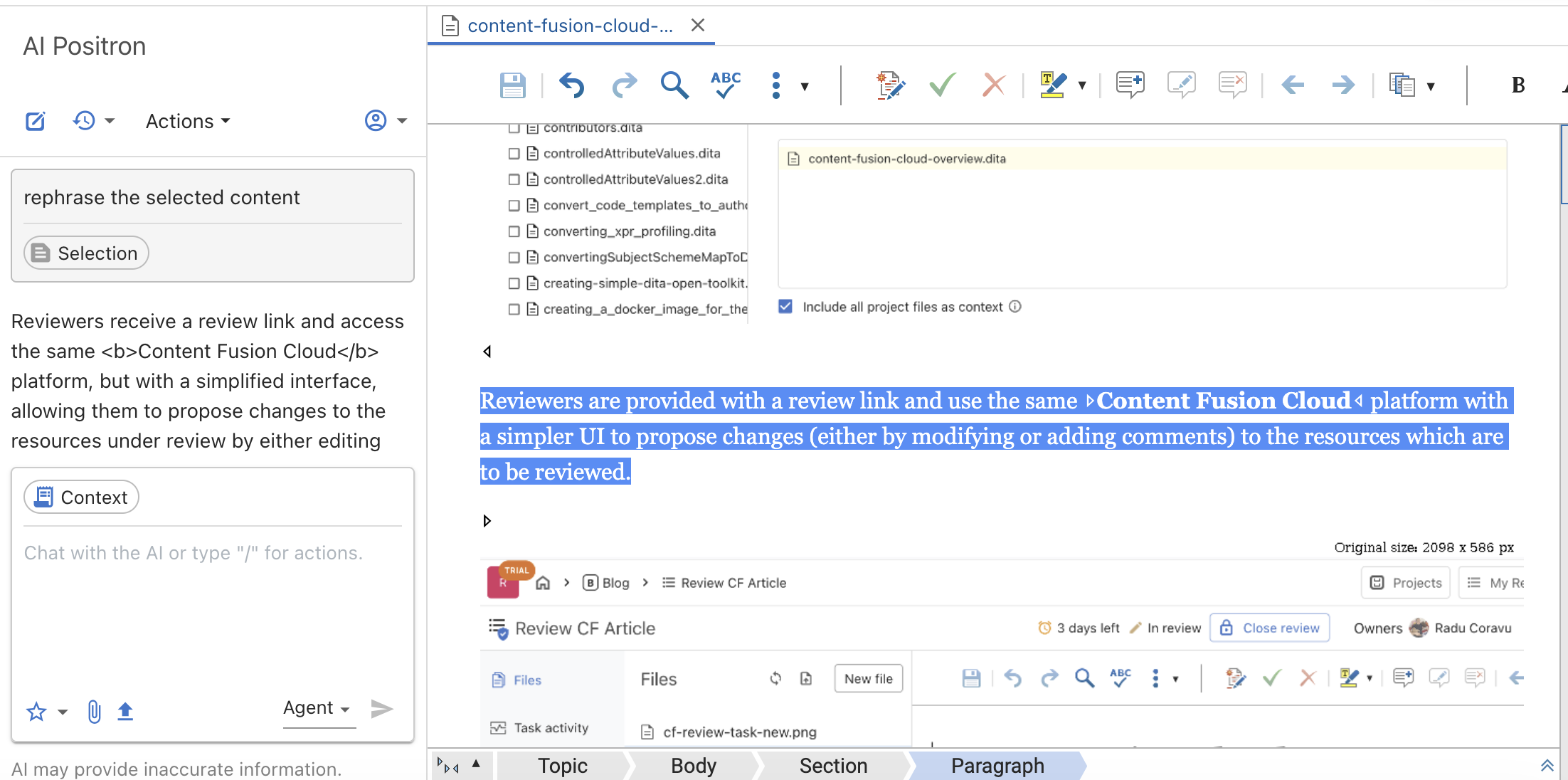
AI Positron has access to powerful tools allowing it to search, read, and edit content directly from your project's workspace. More details about vibe writing with AI Positron: Practical Steps for Vibe Authoring with AI Positron.
Translate
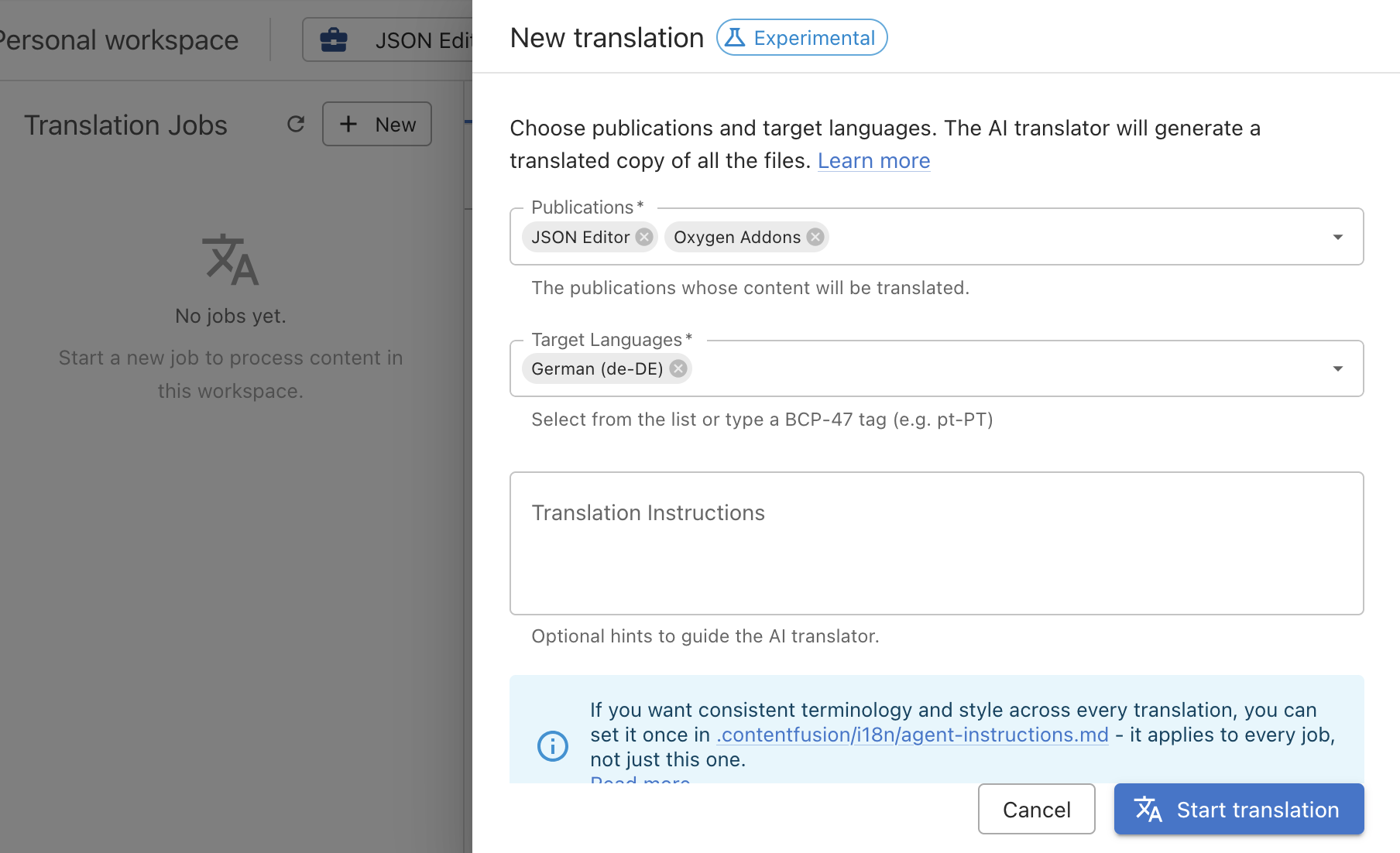
In the Translation view you can define translation jobs and use the bundled AI tools to perform the translation. Each job can translate one or more publications to one or more languages. After the job is complete you can integrate the changes back in your content.
Publish
The Publications view allows you to define publications with pairs of a DITA map and an optional filter.
For example, for the Oxygen User's Manual project, we have lots of top-level publications based on the top-level DITA map combined with a filter specific for the publication output.
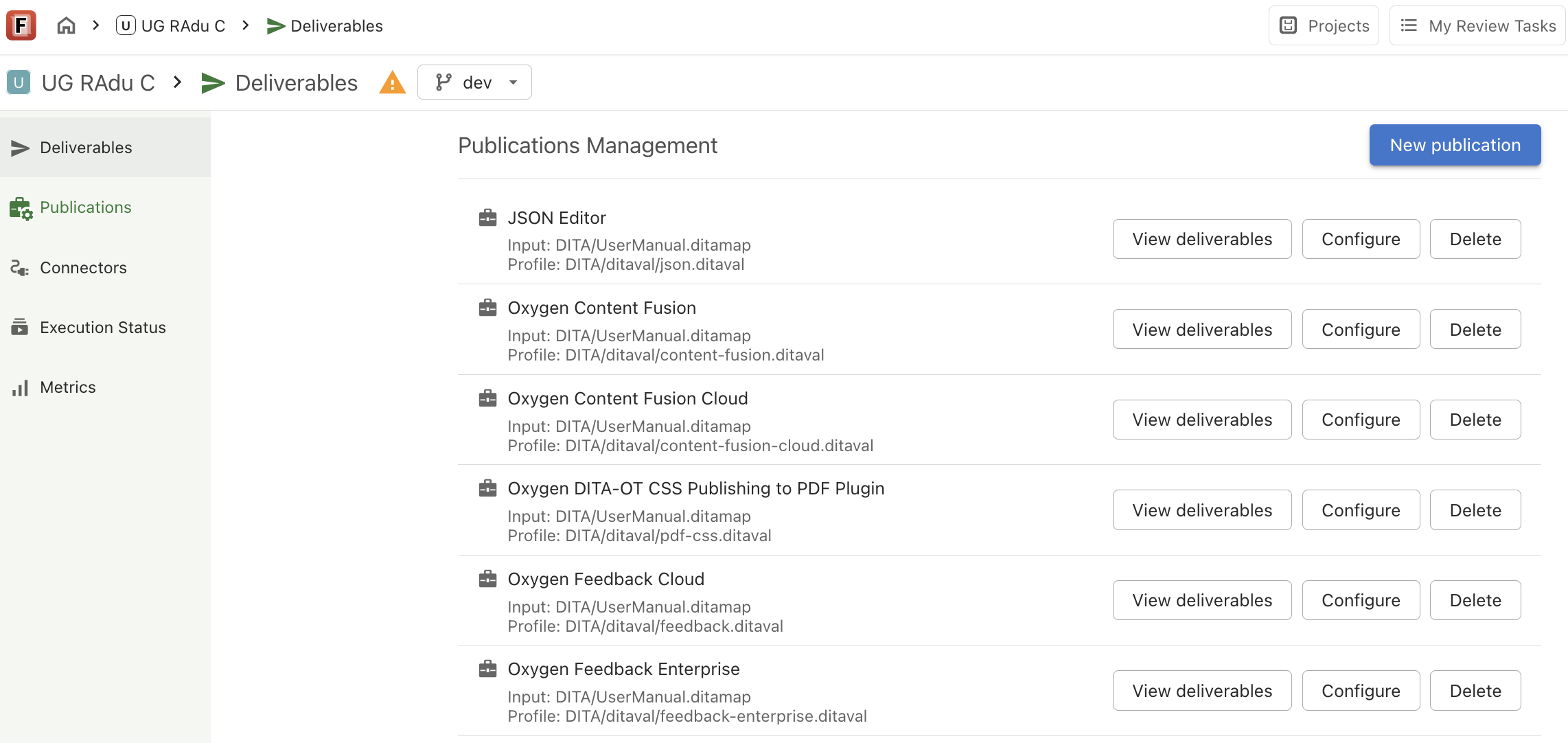
Once I define my publications, I can use them both for editing the DITA maps or for defining publication deliverables.
The Deliverables view allows me to create a WebHelp or PDF deliverable for any of my publications.
I can add the possibility for others to review the user's guide directly from the web page using Edit online links, automatically build the deliverable when changes are made to the repository, or schedule builds at specific intervals.
You can use predefined publishing templates or you can edit them and control the overall publication style.
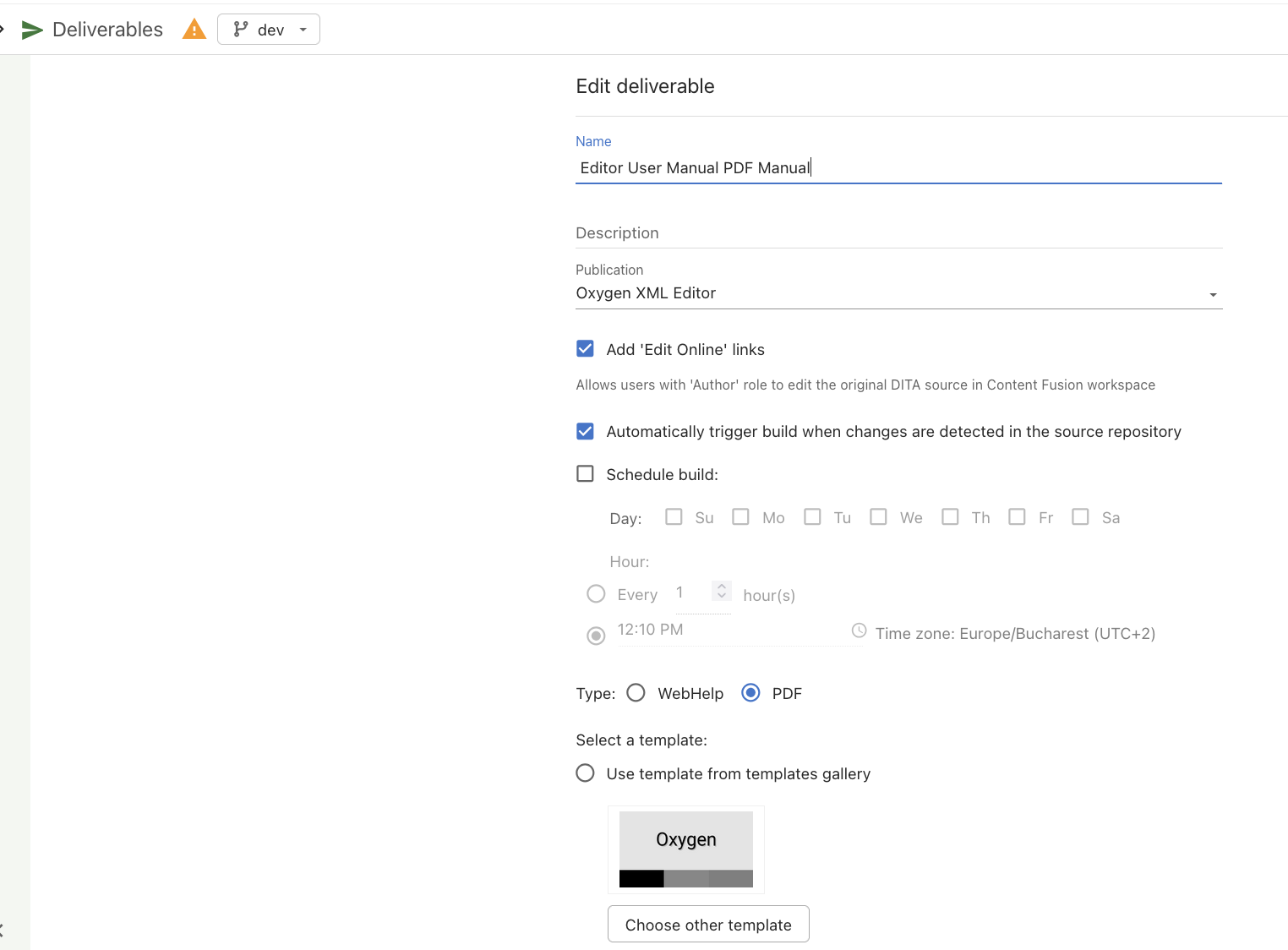
You can choose to also deploy the publication to the Content Fusion Docs Server so that you can preview your changes before porting them to the company web server.
Integration with Oxygen XML Desktop
The Content Fusion add-on can be installed in any of the Oxygen XML desktop applications. It allows a writer to create review tasks and to work inside their cloud workspace using the Oxygen XML application.
Or if your Content Fusion project is coupled with a Git repository, you can directly use the Git client add-on bundled with the Oxygen desktop to work in the project.
Flexibility and Limitations
The most important flexibility of Content Fusion is that it synchronizes (in real time) with a Git repository that you have set up separately. This gives you full control over the project's content, allows you to create external flows for translation and publishing or to have writers use plain Git tools like the Oxygen XML Git Client add-on to collaborate on the content.
- No possibility to import various formats like Word, DocBook, Markdown or HTML to DITA XML. For such cases you can first use the Oxygen desktop application with the Batch Documents Converter add-on installed.
- No possibility in the platform to publish using your own publishing engine or a custom publishing format. Currently, you can publish only to WebHelp and PDF using the bundled publishing platform. As Content Fusion synchronizes in real time with a Git repository, you can develop publishing pipelines outside of the Content Fusion Cloud platform. Some examples of what can be accomplished using the Oxygen Publishing Engine: Server Side Building and Publishing.
- No possibility to install your own DITA XML specialization or to customize the framework for editing DITA XML content (but we are working on allowing an admin to upload limited framework customizations in the CF Cloud organization). In such cases, instead of Content Fusion Cloud, you may choose to install and use a Content Fusion Enterprise server on your own company's infrastructure and install extra frameworks in it.
- Internal translation support is done using AI tools. If you want to translate the content separately, you can use the real-time synchronization with a Git repository to create custom translation workflows outside of the Content Fusion Cloud platform. For example, you may use an Oxygen XML desktop with the Fluenta add-on and Git Client add-on installed to implement the translation workflow. Couple that with the Oxygen desktop AI Positron Assistant and the AI Translator add-on and you can also set up project translation using LLMs.
Conclusion
I hope my article gave you a realistic overview of what the Content Fusion Cloud platform has to offer. You can take advantage of the 30-day trial to use it for yourselves either with a demo project or by connecting it to your own Git repository and work on your content.